AI驱动的个性化学习助手DeepTutor的安装

本文是应网友 一叶遮天 的要求,专门介绍 DeepTutor 的部署;

简介

什么是 DeepTutor ?

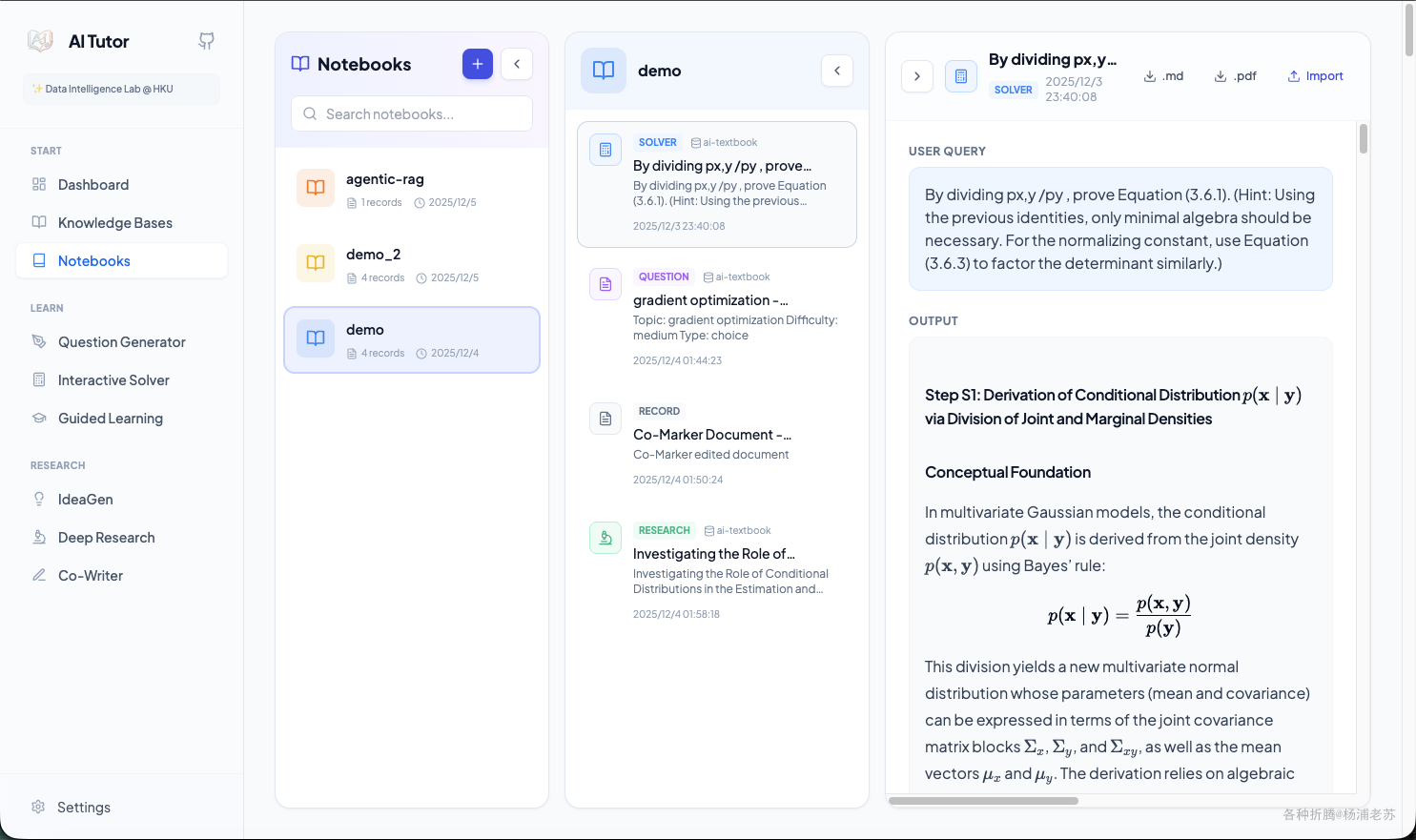
DeepTutor 项目是一个由香港大学数据科学学院(HKUDS)开发的 AI 驱动的个性化学习助手。它集成了多种学习工具和功能,通过人工智能技术,为用户提供个性化的学习体验,包括知识问答、学习可视化、知识强化和深度研究与创意生成。

主要特点

  • 海量文档知识问答: 智能知识库,支持上传教科书、研究论文等,并提供多智能体问题解决,通过RAG、网络搜索和代码执行提供带引用的分步解决方案。
  • 交互式学习可视化: 将复杂概念转化为易于理解的视觉辅助、详细的分步解释和互动演示,并提供上下文感知的个性化问答。
  • 知识强化与练习生成器: 生成针对用户知识水平和学习目标的测验、练习题和定制评估,并能模拟真实考试风格。
  • 深度研究与创意生成: 进行深入的主题探索、文献综述,识别模式,连接概念,并生成结构化的学习材料和新的研究方向。
  • 一体化辅导系统和知识系统: 包含个人知识库和个人笔记本。
  • 交互式创意生成(Co-Writer): 支持AI辅助写作、自动标注和TTS旁白。
  • 仪表板与知识库管理: 提供活动跟踪、知识库管理和系统状态监控。
  • 笔记本: 统一学习记录管理,连接所有模块的输出,创建个性化学习知识库。

应用场景

  • 学生学习: 作为个性化辅导老师,帮助学生理解复杂概念,生成练习,准备考试。
  • 研究人员: 进行文献综述,主题探索,识别研究模式,加速科研进程。
  • 知识工作者: 构建个人知识库,管理学习资料,辅助创意生成和写作。
  • 教育机构: 提供定制化的学习平台,支持学生自主学习和教师备课。

DeepTutor 在教育和学习管理中提供了一体化的解决方案,通过智能化的功能帮助用户实现更高效的学习体验。

安装

在群晖上以 Docker 方式安装。
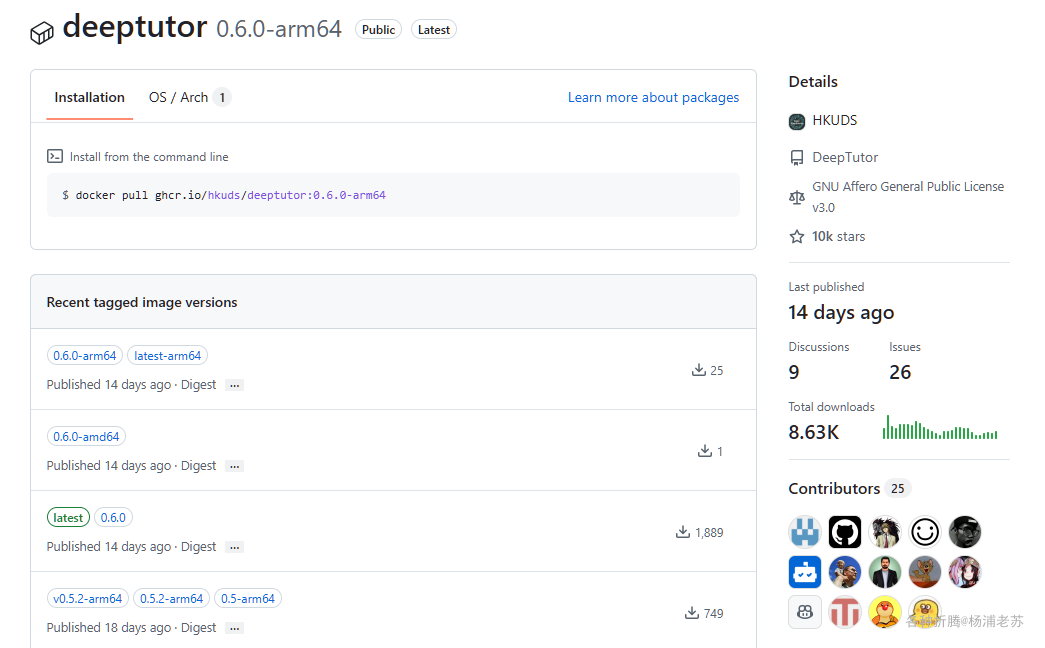
镜像比较大,如果网络不给力,会比较费时费力

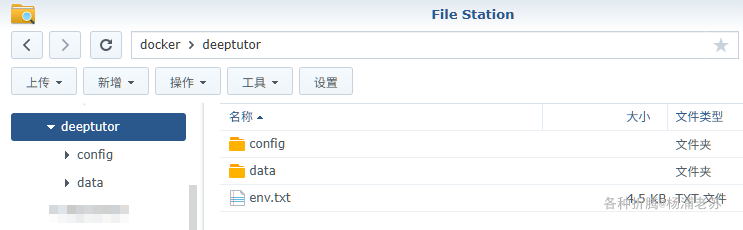
env.txt

因为环境变量比较多,所以采用独立的 env.txt,其中 LLMEMBEDDING 是必须的,而 TTSWeb 搜索是可选的,推荐使用 硅基流动,能够一站式的解决所需的模型

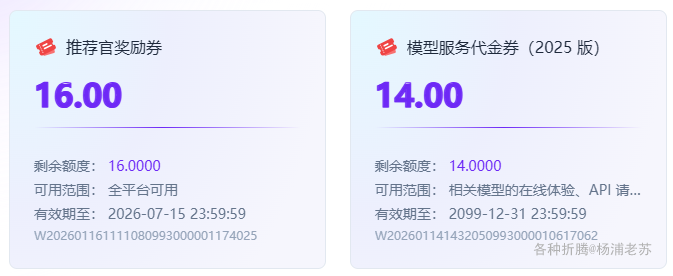
目前硅基流动(SiliconFlow)注册就送 16 元的代金券

注册地址:

https://cloud.siliconflow.cn/i/NkUiXVhQ

和之前的不同,现在的券虽然多了2块钱,但是有有效期
后续准备试试七牛,据说可以用国外的大模型

注册地址:

https://s.qiniu.com/2ENRR3

注册地址:

👇下面是一个示例,基于硅基流动设置了 LLMEMBEDDINGTTS 模型,同时还配置了基于 tavily 的网络搜索

1
2
3
4
5
6
7
8
9
10
11
12
13
14
15
16
17
18
19
20
21
22
23
24
25
26
27
28
29
30
31
32
33
34
35
36
37
38
39
40
41
42
43
44
45
46
47
48
49
50
51
52
53
54
55
56
57
58
59
60
61
62
63
64
65
66
67
68
69
70
71
72
73
74
75
76
77
78
79
80
81
82
83
84
85
86
87
88
89
90
91
92
93
94
95
96
97
98
99
100
101
102
103
104
105
106
107
108
109
110
111
112
113
114
115
116
117
118
119
120
121
122
123
124
125
126
127
128
# ==============================================================================
# DeepTutor Environment Configuration
# ==============================================================================
# Copy this file to `.env` and fill in the values.
# Required fields are marked with [Required], optional fields with [Optional].

# ==============================================================================
# Server Ports
# ==============================================================================

# [Optional] Backend API server port
BACKEND_PORT=3781

# [Optional] Frontend server port
FRONTEND_PORT=3782

# ==============================================================================
# LLM Configuration (Large Language Model)
# ==============================================================================
# Primary LLM for all AI operations (chat, research, solve, etc.)

# [Required] Provider binding: openai, azure_openai, anthropic,
# deepseek, openrouter, groq, together, mistral
# ollama, lm_studio, vllm, llama_cpp
LLM_BINDING=openai

# [Required] Model name (e.g., gpt-4o, deepseek-chat, claude-3-5-sonnet)
LLM_MODEL=deepseek-ai/DeepSeek-V3.2

# [Required] API key for the LLM provider
LLM_API_KEY=sk-xxxxxxxxxxxxxxxxxxxxxxxxxxxxxxxxxxxxx

# [Required] API endpoint URL
LLM_HOST=https://api.siliconflow.cn/v1

# [Optional] API version (required for Azure OpenAI)
LLM_API_VERSION=

# ==============================================================================
# Embedding Configuration
# ==============================================================================
# Embedding model for RAG (Retrieval-Augmented Generation)

# [Required] Provider: openai, azure_openai, jina,
# cohere, huggingface, google, ollama, lm_studio
EMBEDDING_BINDING=openai

# [Required] Model name
EMBEDDING_MODEL=BAAI/bge-m3

# [Required] API key
EMBEDDING_API_KEY=sk-xxxxxxxxxxxxxxxxxxxxxxxxxxxxxxxxxxxxx

# [Required] API endpoint URL
EMBEDDING_HOST=https://api.siliconflow.cn/v1

# [Required] Vector dimensions (must match model output)
EMBEDDING_DIMENSION=3072

# [Optional] API version (for Azure OpenAI)
EMBEDDING_API_VERSION=

# ==============================================================================
# TTS Configuration (Text-to-Speech)
# ==============================================================================
# Optional: Enable audio narration features

# [Optional] Provider: openai, azure_openai
TTS_BINDING=openai

# [Optional] TTS model name
TTS_MODEL=IndexTeam/IndexTTS-2

# [Optional] API key (can be same as LLM_API_KEY for OpenAI)
TTS_API_KEY=sk-xxxxxxxxxxxxxxxxxxxxxxxxxxxxxxxxxxxxx

# [Optional] API endpoint URL
TTS_URL=https://api.siliconflow.cn/v1

# [Optional] Voice: alloy, echo, fable, onyx, nova, shimmer
TTS_VOICE=alloy

# [Optional] API version (for Azure OpenAI)
TTS_BINDING_API_VERSION=

# ==============================================================================
# Search Configuration (Web Search)
# ==============================================================================
# Optional: Enable web search capabilities

# [Optional] Provider: perplexity, tavily, serper, jina, exa
SEARCH_PROVIDER=tavily

# [Optional] API key for your chosen search provider
SEARCH_API_KEY=tvly-xxxxxxxx

# ==============================================================================
# Cloud Deployment Configuration
# ==============================================================================
# Required when deploying to cloud/remote servers

# [Optional] External API base URL for cloud deployment
# Set this to your server's public URL when deploying remotely
# Example: https://your-server.com:8001 or https://api.yourdomain.com
NEXT_PUBLIC_API_BASE_EXTERNAL=http://192.168.0.197:3781

# [Optional] Direct API base URL (alternative to above)
NEXT_PUBLIC_API_BASE=

# ==============================================================================
# Debug & Development
# ==============================================================================

# [Optional] Disable SSL verification (not recommended for production)
DISABLE_SSL_VERIFY=true

# ==============================
# HuggingFace / MinerU (Optional)
# ==============================

# Use a HuggingFace mirror endpoint (optional)
# HF_ENDPOINT=https://your-hf-mirror.example.com

# HuggingFace cache directory (recommended: mount this in Docker to reuse cache)
# HF_HOME=/app/data/hf

# Force offline mode (requires models already downloaded into the cache)
# HF_HUB_OFFLINE=1

其中 192.168.0.197 为老苏群晖主机的 IP

环境变量的简单说明

配置项 描述 必填/选填
后端端口 后端 API 服务器端口 选填
BACKEND_PORT 8001 选填
前端端口 前端服务器端口 选填
FRONTEND_PORT 3782 选填
LLM 配置 (大型语言模型) 主要的 LLM 用于所有 AI 操作(聊天、研究、解决问题等)。
LLM_BINDING 绑定提供者:openai, azure_openai, anthropic, deepseek, openrouter 必填
LLM_MODEL 模型名称(如 gpt-4o, deepseek-chat 必填
LLM_API_KEY LLM 提供者的 API 密钥 必填
LLM_HOST API 端点 URL(如 https://api.openai.com/v1 必填
LLM_API_VERSION API 版本(仅 Azure OpenAI 所需) 选填
嵌入模型配置 用于 RAG(检索增强生成)的嵌入模型
EMBEDDING_BINDING 提供者:openai, azure_openai, jina 必填
EMBEDDING_MODEL 嵌入模型名称 必填
EMBEDDING_API_KEY 嵌入 API 密钥 必填
EMBEDDING_HOST 嵌入 API 端点 URL 必填
EMBEDDING_DIMENSION 向量维度(必须与模型输出匹配) 必填
EMBEDDING_API_VERSION API 版本(仅 Azure OpenAI 所需) 选填
文本转语音配置 可选:启用音频叙述功能
TTS_BINDING 提供者:openai, azure_openai 选填
TTS_MODEL TTS 模型名称 选填
TTS_API_KEY TTS API 密钥(可与 LLM_API_KEY 相同) 选填
TTS_URL TTS API 端点 URL 选填
TTS_VOICE 语音类型:alloy, echo, fable 选填
TTS_BINDING_API_VERSION TTSAPI 版本(仅 Azure OpenAI 所需) 选填
搜索配置 可选:启用网页搜索功能
SEARCH_PROVIDER 提供者:perplexity, tavily, serper 选填
SEARCH_API_KEY 你选择的搜索提供者的 API 密钥 选填
云部署配置 在云/远程服务器部署时必需
NEXT_PUBLIC_API_BASE_EXTERNAL 云部署时的外部 API 基础 URL 选填
NEXT_PUBLIC_API_BASE 直接 API 基础 URL(替代上述) 选填
调试与开发
DISABLE_SSL_VERIFY 禁用 SSL 验证(不建议用于生产环境) 选填
HuggingFace / MinerU(可选) 使用 HuggingFace 镜像端点(可选)
HF_ENDPOINT HuggingFace 镜像端点 URL 选填
HF_HOME HuggingFace 缓存目录(推荐:在 Docker 中挂载以重用缓存) 选填
HF_HUB_OFFLINE 强制离线模式(要求模型已下载到缓存中) 选填

docker cli 安装

如果你熟悉命令行,可能用 docker cli 更快捷

1
2
3
4
5
6
7
8
9
10
11
12
13
14
15
16
17
18
# 新建文件夹 deeptutor 和 子目录
mkdir -p /volume1/docker/deeptutor/{config,data/{user,knowledge_bases}}

# 进入 deeptutor 目录
cd /volume1/docker/deeptutor

# 将 env.txt 放入当前目录

# 运行容器
docker run -d \
--restart unless-stopped \
--name deeptutor \
-p 3781:3781 \
-p 3782:3782 \
--env-file env.txt \
-v $(pwd)/data:/app/data \
-v $(pwd)/config:/app/config:ro \
ghcr.io/hkuds/deeptutor:latest

【注意】:端口必须和 env.txt 中设置的端口保存一致

docker-compose 安装

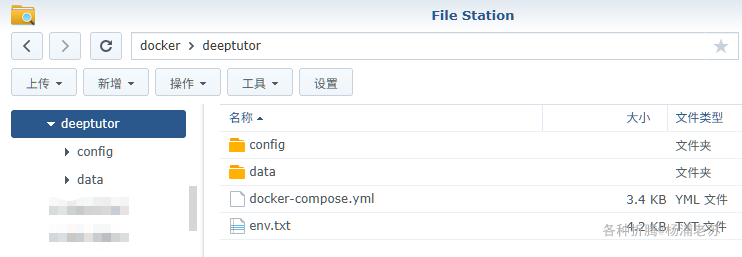
也可以用 docker-compose 安装,将下面的内容保存为 docker-compose.yml 文件

1
2
3
4
5
6
7
8
9
10
11
12
13
14
15
16
17
18
19
20
21
22
23
24
25
26
27
28
29
30
31
32
33
34
35
36
37
38
39
40
41
42
43
44
45
46
47
48
49
50
51
52
53
54
55
56
57
58
59
60
61
62
63
64
65
66
67
68
69
70
71
72
73
74
75
76
77
78
79
80
81
82
83
84
85
# ============================================
# DeepTutor Docker Compose Configuration
# ============================================
# This file provides orchestration for DeepTutor services
#
# Usage:
# Production: docker compose up -d
# Development: docker compose -f docker-compose.yml -f docker-compose.dev.yml up
# Build only: docker compose build
#
# Prerequisites:
# 1. Copy .env.example to .env and configure your API keys
# 2. Optionally customize config/main.yaml and config/agents.yaml
# ============================================

services:
# ============================================
# All-in-One DeepTutor Service
# ============================================
deeptutor:
image: ghcr.io/hkuds/deeptutor:latest
container_name: deeptutor
restart: unless-stopped
ports:
- "${BACKEND_PORT:-8001}:${BACKEND_PORT:-8001}"
- "${FRONTEND_PORT:-}:${FRONTEND_PORT:-3782}"

# Load environment variables from .env file
env_file:
- env.txt

environment:
# LLM Configuration (Required)
- LLM_BINDING=${LLM_BINDING:-openai}
- LLM_MODEL=${LLM_MODEL}
- LLM_API_KEY=${LLM_API_KEY}
- LLM_HOST=${LLM_HOST}
- DISABLE_SSL_VERIFY=${DISABLE_SSL_VERIFY:-false}
# Embedding Configuration (Required for Knowledge Base)
- EMBEDDING_BINDING=${EMBEDDING_BINDING:-openai}
- EMBEDDING_MODEL=${EMBEDDING_MODEL:-text-embedding-3-large}
- EMBEDDING_API_KEY=${EMBEDDING_API_KEY}
- EMBEDDING_HOST=${EMBEDDING_HOST}
- EMBEDDING_DIMENSION=${EMBEDDING_DIMENSION:-3072}
- EMBEDDING_MAX_TOKENS=${EMBEDDING_MAX_TOKENS:-8192}
# TTS Configuration (Optional)
- TTS_MODEL=${TTS_MODEL:-}
- TTS_API_KEY=${TTS_API_KEY:-}
- TTS_URL=${TTS_URL:-}
- TTS_VOICE=${TTS_VOICE:-alloy}
# Web Search Configuration (Optional)
- SEARCH_PROVIDER=${SEARCH_PROVIDER:-perplexity}
- SEARCH_API_KEY=${SEARCH_API_KEY:-}
# Logging: Configure in config/main.yaml -> logging.level
# ============================================
# Service Ports Configuration
# ============================================
# Backend API port (default: 8001)
- BACKEND_PORT=${BACKEND_PORT:-8001}
# Frontend web port (default: 3782)
- FRONTEND_PORT=${FRONTEND_PORT:-3782}
# ============================================
# API URL Configuration (Important for Cloud Deployment)
# ============================================
# For CLOUD/REMOTE deployment: Set this to your server's public URL
# Example: https://your-server.com:8001 or https://api.yourdomain.com
# If not set, defaults to http://localhost:${BACKEND_PORT} (only works locally)
- NEXT_PUBLIC_API_BASE_EXTERNAL=${NEXT_PUBLIC_API_BASE_EXTERNAL:-}
# Alternative: Direct API base URL (same priority as NEXT_PUBLIC_API_BASE_EXTERNAL)
- NEXT_PUBLIC_API_BASE=${NEXT_PUBLIC_API_BASE:-}

volumes:
# Mount local config directory (read-only)
- ./config:/app/config:ro
# Mount local data directory for persistence (read-write)
# This ensures all outputs go to your local ./data directory
- ./data/user:/app/data/user
- ./data/knowledge_bases:/app/data/knowledge_bases

healthcheck:
test: ["CMD", "curl", "-f", "http://localhost:${BACKEND_PORT:-8001}/"]
interval: 30s
timeout: 10s
retries: 3
start_period: 60s

然后通过 SSH 登录到您的群晖,执行下面的命令:

1
2
3
4
5
6
7
8
9
10
# 新建文件夹 deeptutor 和 子目录
mkdir -p /volume1/docker/deeptutor/{config,data/{user,knowledge_bases}}

# 进入 deeptutor 目录
cd /volume1/docker/deeptutor

# 将 env.txt 和 docker-compose.yml 放入当前目录

# 一键启动
docker-compose --env-file env.txt up -d

运行

在浏览器中输入 http://群晖IP:3782 就能访问 DeepTutor 的前端界面
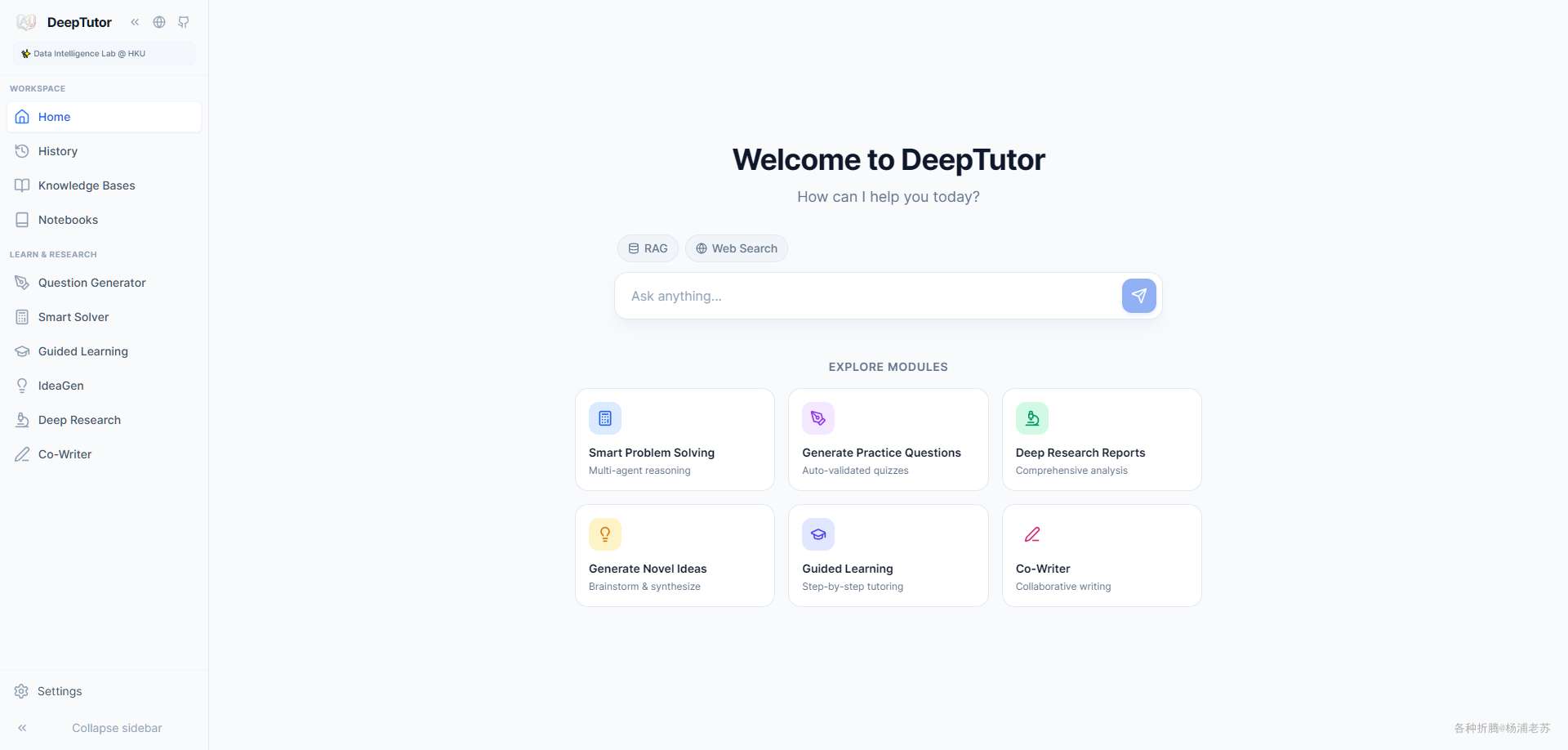
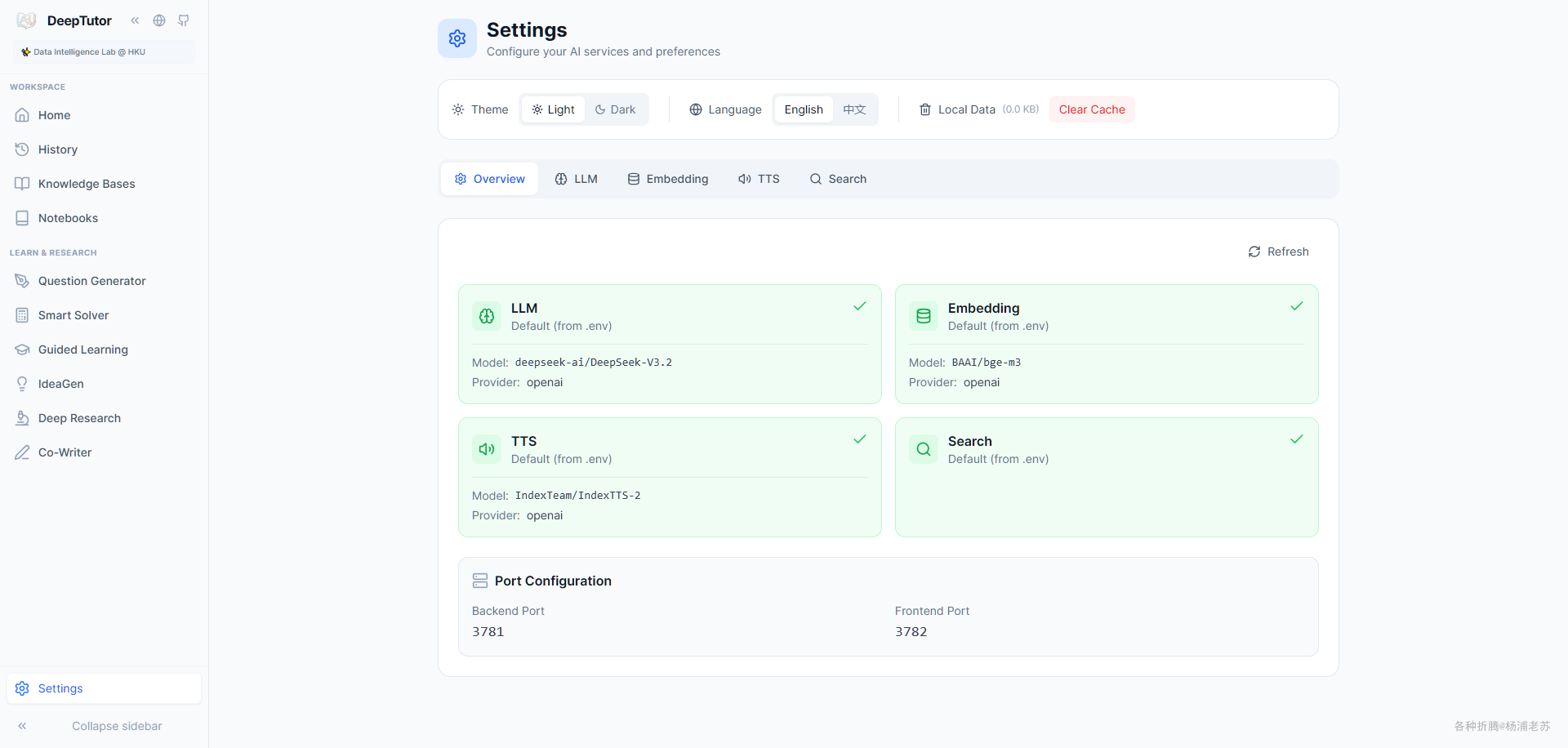
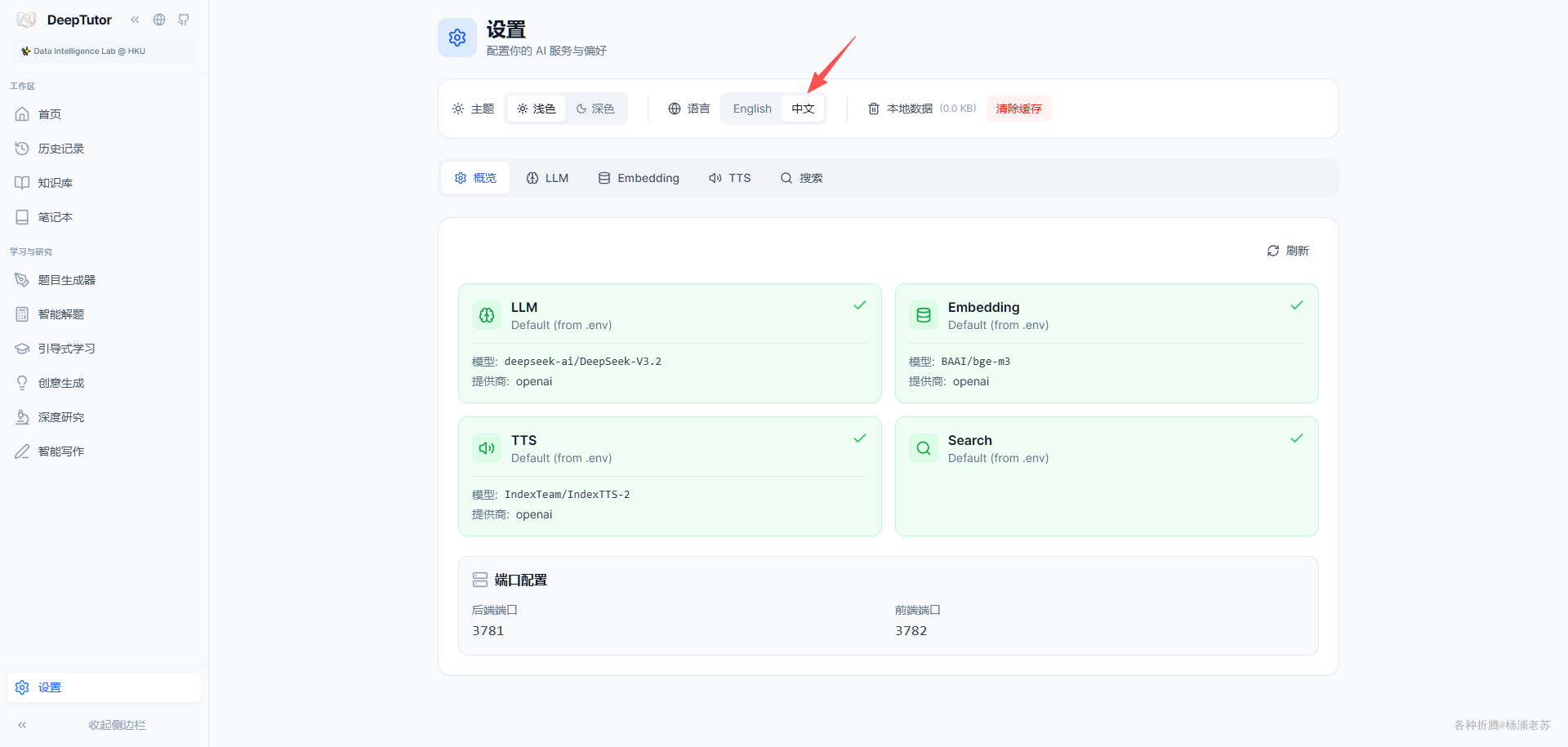
Settings 可以看到我们在 env.txt 中设置的 LLMEmbeddingTTS

顺便可以把界面切换到 中文,这样 DeepTutor 的功能就好理解了
参考文档

HKUDS/DeepTutor: “DeepTutor: AI-Powered Personalized Learning Assistant”
地址:https://github.com/HKUDS/DeepTutor

DeepTutor
地址:https://hkuds.github.io/DeepTutor/zh/